UC Browser-Safe, Fast, Private
Publisher Description



UC Browser: Your Smart, Private Web Browser with Fast VPN, AI & UC Drive
UC Browser: The Smart Internet Browser for Your Mobile Life
🌏Fast VPN | 🔍AI Search |🎬Video downloader |☁️ ️UC Drive
🔐Private Browser & Security Online
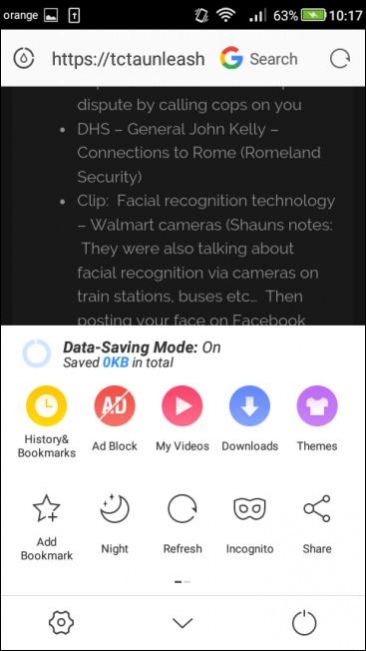
Protect your IP and traffic with our private browsing mode,also known as incognito browser mode. As a secure browser, UC Browser ensures your online activity remains private. Use the fast VPN to encrypt data and keep you safe while accessing the global internet with enhanced security
🎬Video Downloader & Offline Streaming
Save videos using the integrated video downloader. Enjoy the video player and stream your favorite content offline. This feature saves time and data, and helps you organize your downloads efficiently, perfect for your mobile life on the go.
🚫 Ad Blocker for Fast Performance
Activate the adblocker to remove web ads and pop-ups, ensuring no ads interrupt your browsing. By blocking distractions, you enjoy seamless, safe navigation and reduced load time while browsing sites and apps within the web browser.
🔍 Smart Search with AI & GPT
Our advanced search engine helps you find news and even your browsing history. Whether you need to translate documents, locate specific content, GPT makes your internet exploration efficient.
🌐 Translate & Global Access
Break language barriers with built-in translate tools supporting multi-language AI and chat more effectively with others. Gain access to global content and more, converting text in real-time for a smooth browsing experience.
📁 UC Drive: Cloud Storage for Videos
Store your videos in 20GB cloud storage via UC Drive. Access your collection anywhere for an organized life.
⚡ Why Choose UC Browser?
Fast VPN: Secure your IP, keep you safe, and browse private.
Ad Blocker: Fast loading without interruptions.
Video Downloader: Save videos for offline streaming and manage your downloads with ease.
Free & Fast: Enjoy a fast and free internet browser, available on Play Store.
Regular Updates: Stay ahead with the latest improvements and new features.
📞 Support & Assistance
In the event of any issues, please follow the steps below for immediate assistance:Open the Application and navigate to Menu → Feedback. Submit your inquiry via the integrated feedback system.
Alternatively, contact us directly through the official channels listed below.
● Official Website: https://ucweb.com
● Facebook: http://www.facebook.com/ucbrowserindonesia
● X: https://x.com/ucbrowserindo
● YouTube: http://www.youtube.com/ucwebvideo
About UC Browser-Safe, Fast, Private
The company that develops UC Browser-Safe, Fast, Private is UCWeb Singapore Pte. Ltd.. The latest version released by its developer is 1.0 . This app was rated by 35 users of our site and has an average rating of 3.7.
To install UC Browser-Safe, Fast, Private on your Android device, just click the green Continue To App button above to start the installation process. The app is listed on our website since 2026-10-09 and was downloaded 13,445 times. We have already checked if the download link is safe, however for your own protection we recommend that you scan the downloaded app with your antivirus. Your antivirus may detect the UC Browser-Safe, Fast, Private as malware as malware if the download link to com.UCMobile.intl is broken.
How to install UC Browser-Safe, Fast, Private on your Android device:
- Click on the Continue To App button on our website. This will redirect you to Google Play.
- Once the UC Browser-Safe, Fast, Private is shown in the Google Play listing of your Android device, you can start its download and installation. Tap on the Install button located below the search bar and to the right of the app icon.
- A pop-up window with the permissions required by UC Browser-Safe, Fast, Private will be shown. Click on Accept to continue the process.
- UC Browser-Safe, Fast, Private will be downloaded onto your device, displaying a progress. Once the download completes, the installation will start and you'll get a notification after the installation is finished.
Program Details
System requirements
Download information
Pricing
Version History
version
posted on 2026-10-09
1. Upgrade SDK
2. Optimize feature experience
version
posted on 2026-04-17
1. Upgrade SDK
2. Optimize feature experience
version
posted on 2025-05-16
1.Fix payment issues.
version
posted on 2025-05-16
1.SDK upgrade
2.Some Bug fixed
version
posted on 2023-12-11
version
posted on 2020-06-29
Bug fixes
version 13.0.8.1291
posted on 2020-04-09
Optimize videoplay error tips.
version 13.0.5.1290
posted on 2020-03-23
New design for Hot card
Fix the issue of YouTube video player
version 13.0.2.1289
posted on 2020-02-29
Show notes and download button after download failed
Bookmarks and History entries added to menu bar, My Video function removed
version 12.14.0.1221
posted on 2020-01-06
Download optimization: improve file download stability.
Bugfixed.
